YAQI DONG
K
V
Aquafy
Smart Water App - Aquafy
"Stay Hydrated, Stay Healthy—Your Smartest Hydration Companion."
Contents
· About me
· Project overview
· Brand image
· Major features
· Design Process
· Design Process part 2 - Case study
· Reflection & Future Improvement
As a UI/UX interaction designer, my mission is to create intuitive, intelligent, and user-centered digital experiences that seamlessly integrate technology into everyday life. I specialize in AI-driven interfaces, smart retail solutions, and digital ecosystems that enhance efficiency, engagement, and accessibility through research and prototyping.
I envision a future where design and AI collaborate to reshape how people interact with digital commerce and services. My goal is to become a designer who leads the development of smart shopping assistants, immersive retail environments, and personalized recommendation systems. These innovations will not only simplify decision-making but also build more inclusive and accessible user experiences.
One of my most impactful projects was the Smart Water App, developed during a university course. It aimed to promote healthy hydration habits through interactive design. Through iterative prototyping, user testing, and usability evaluation, I refined my skills in Figma and data-informed UI design. This experience shaped my understanding of how technology can influence daily behavior. Later, during my internship at Yucheng Yijia Machinery Co., Ltd., I applied these insights to design user-friendly interfaces and interactive content for a global audience.
My values are anchored in eco-consciousness, accessibility, and ethical innovation. I am passionate about creating technology that is not only functional but also responsible—designing for both people and the planet. I am especially drawn to communities and companies that promote sustainable design and prioritize human needs.
Rather than defining an “ideal employer,” I seek teams that are driven by curiosity, empathy, and a shared desire to innovate. I’m excited to contribute to forward-thinking environments that challenge conventional interaction models and create meaningful, future-ready user experiences.
- About me

+61 466406908
Contact
- Project overview
Duration
12 Weeks
(2024.2-2024.5)
My role
UX/UI Designer, Researcher, Developer
Overview
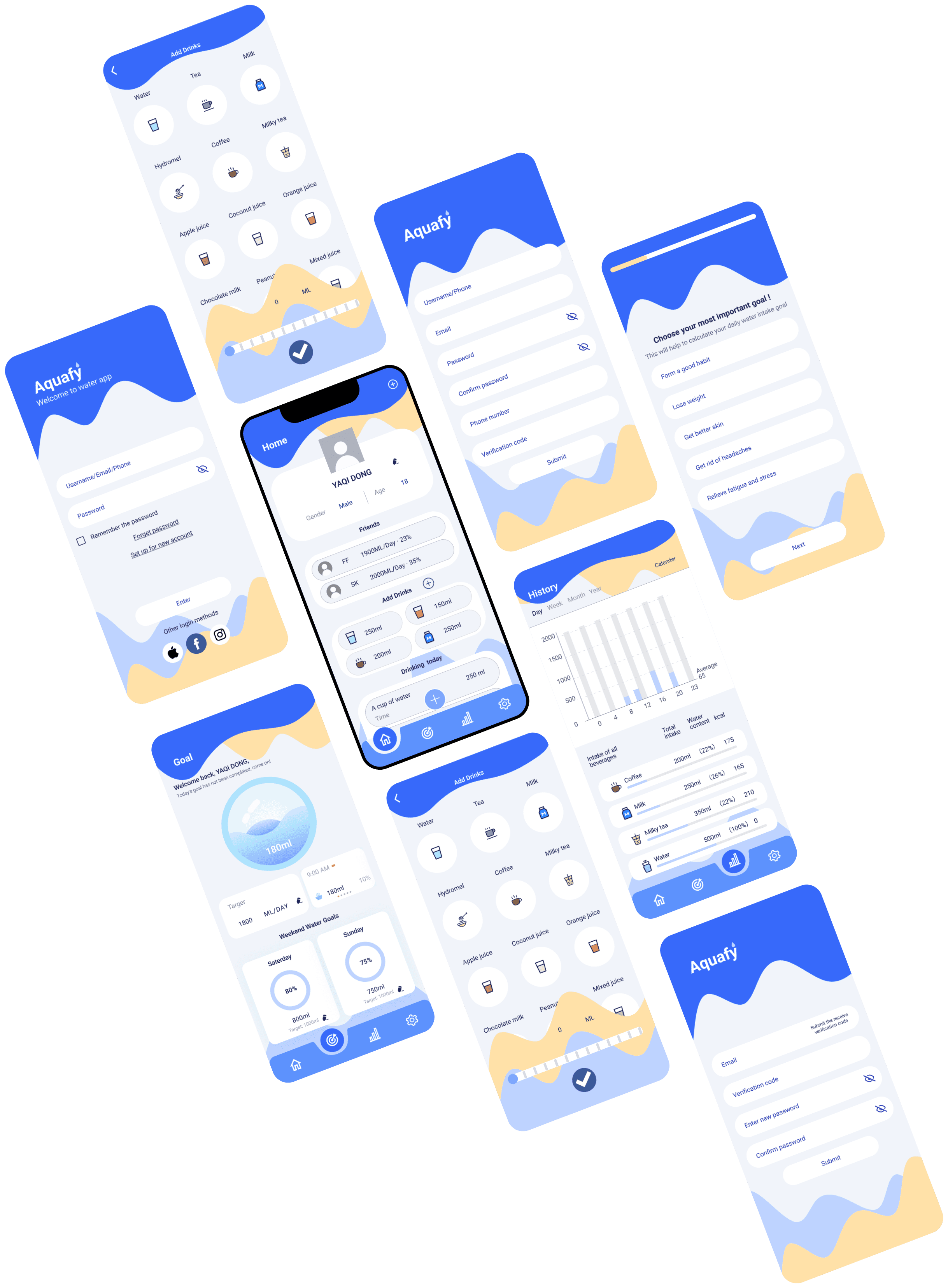
Aquafy is a smart drinking app designed to help users develop healthy drinking habits through personalized goal setting, smart reminders and social interaction. Users can record their daily water intake, view trend analysis, and get personalized water recommendations. Through intuitive UI design and data visualization, Aquafy not only improves user experience, but also makes healthy drinking more interesting and efficient. The project covered the complete process from user research, prototyping to usability testing to ensure that the product is intuitive and practical.
UI Design
App Design
- Project overview
The value of the work
Aquafy: From reminder to management, creating a complete smart water experience !
In a fast-paced life, people often forget to drink water, but traditional drinking apps can't really help users develop the habit.Aquafy provides a complete drinking water tracking solution through smart reminders, quick add, personalized recommendations, and record management, allowing users to develop healthy habits senselessly.
Why is this PROJECT worth showing?
Solve real problems and make Aquafy a health assistant
Traditional drinking reminders are hard and easy to be ignored by users, Aquafy adopts smart time adjustment mechanism to reduce disturbance and make reminders more natural.
Manual recording is too troublesome and users are reluctant to use it, we design “One Click Add Drinks”, which makes the recording become instantly point and save within seconds.
Design Tools
Figma, Protopie
Interactive display video
- Brand image
Aquafy
The combination of "Aqua" (water) and "Amplify" (enhance) expresses the meaning of increasing water intake.
Personalized goal setting
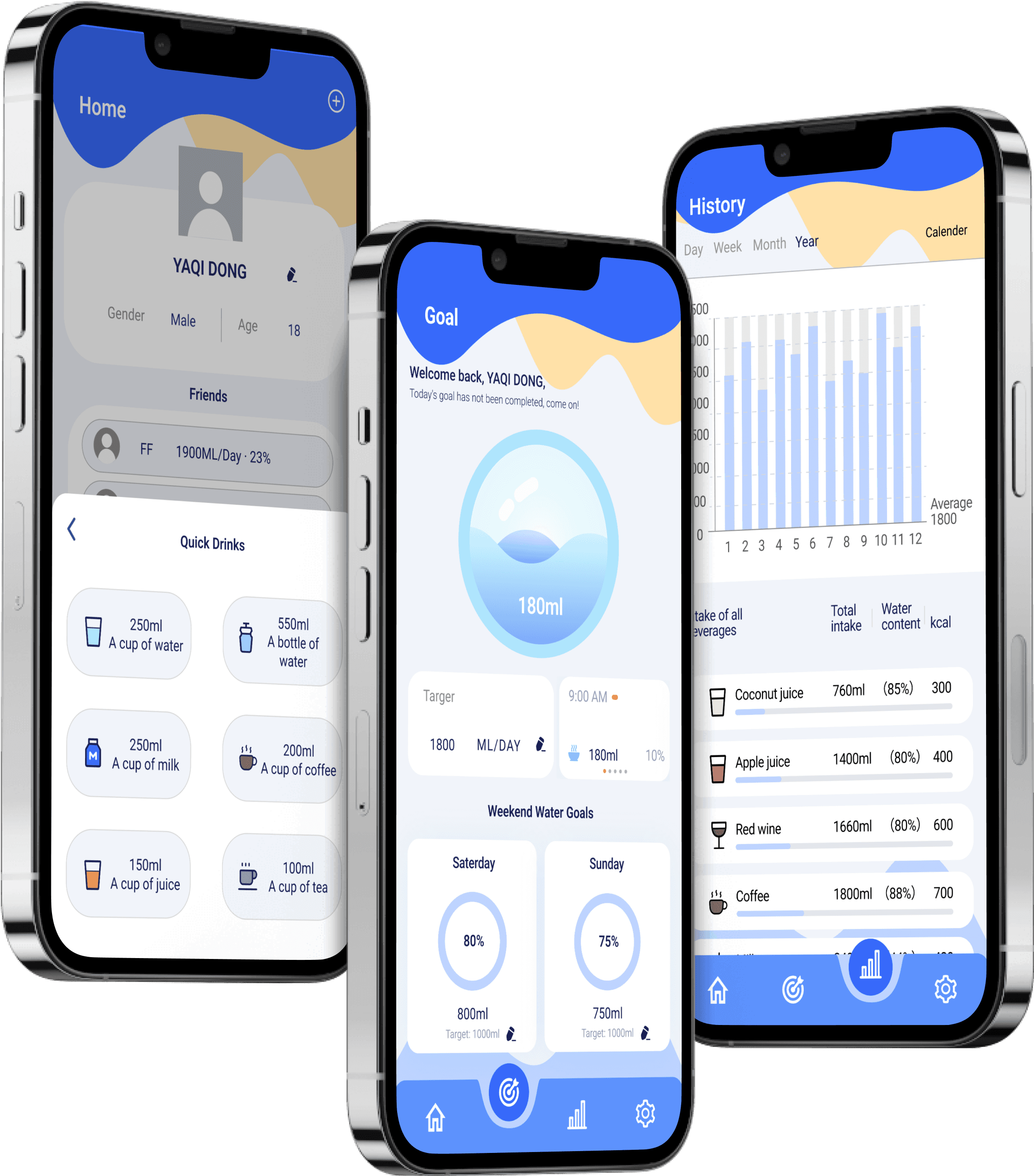
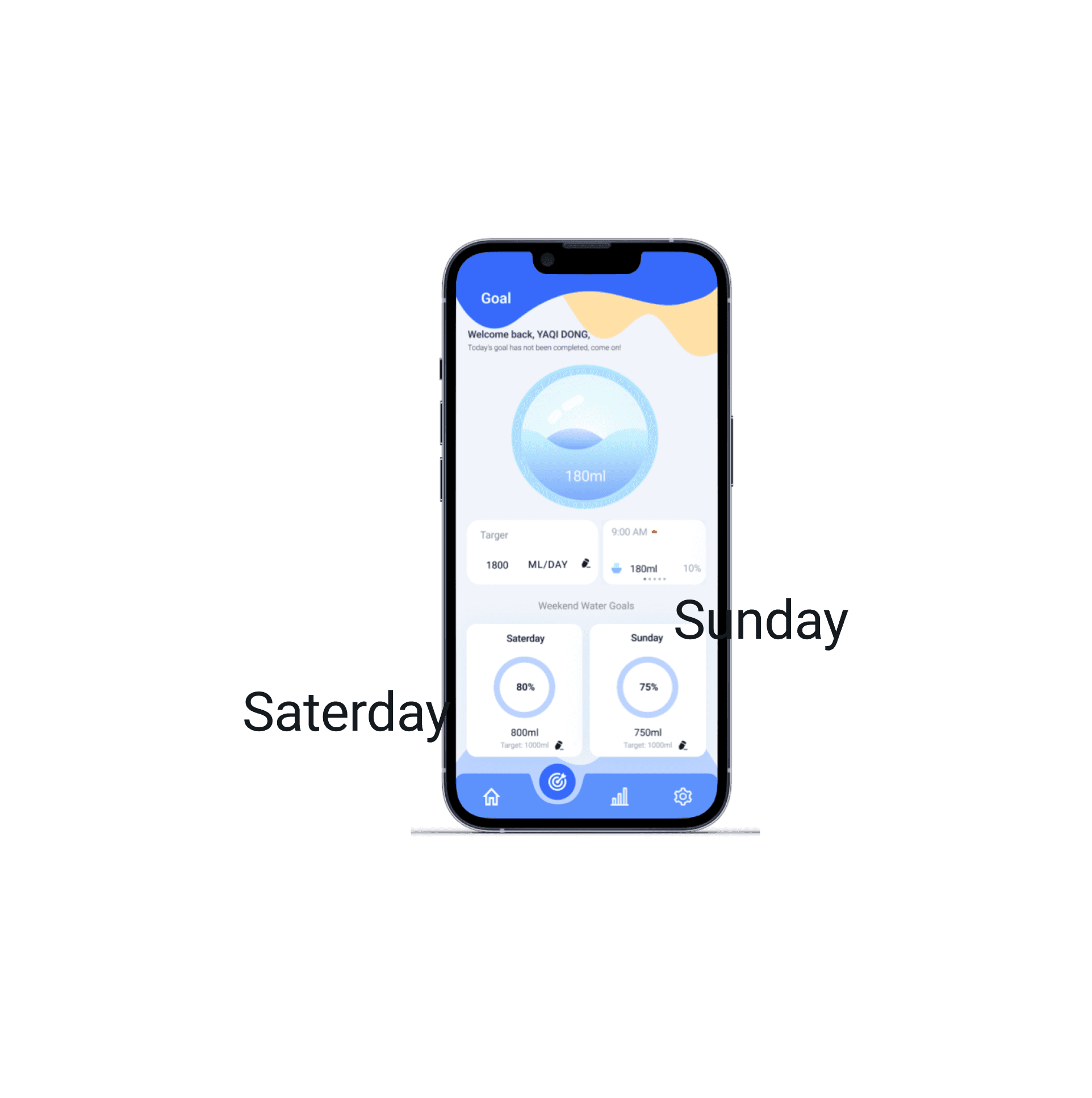
Hydr8 allows users to set their own daily water goals based on their needs and goals, as well as weekend water goals on Saturdays and Sundays off and real-time reminders to help them stay on track.
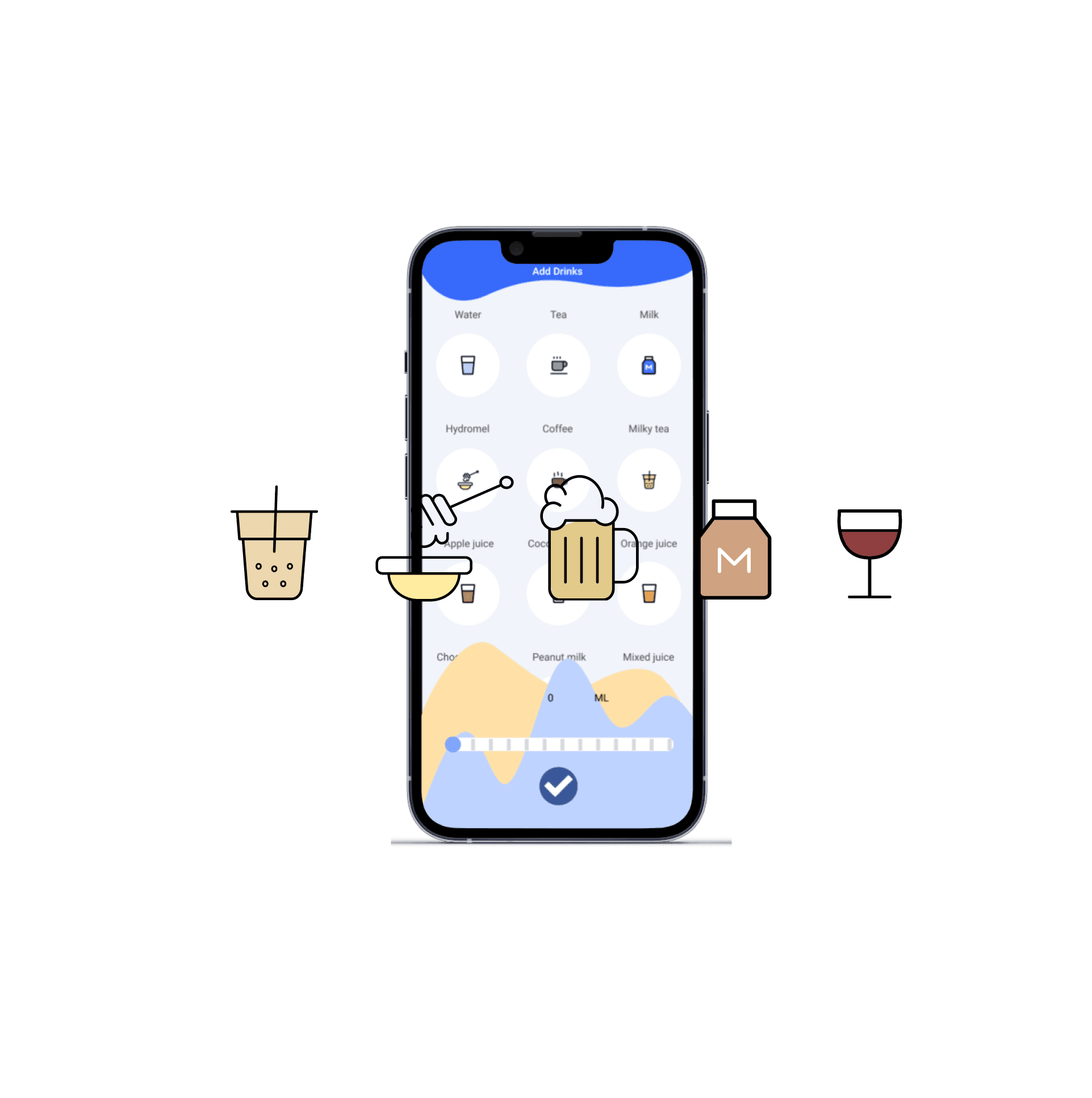
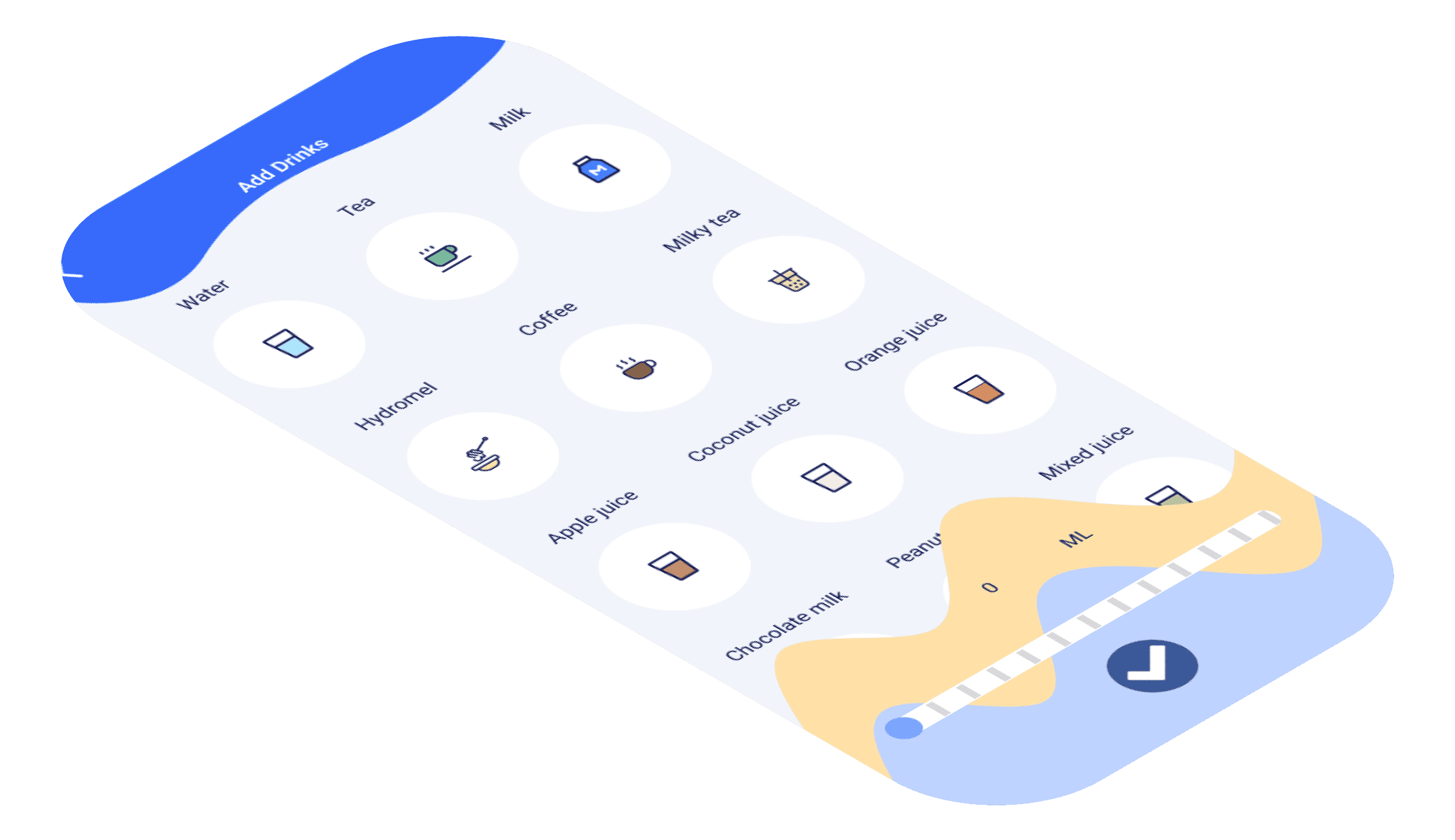
Users can add their own drinks at any time, only need to enter the total content of drinks, the system will calculate the water content of the drink, added to the day's drinking water, to maintain the balance of water intake.
Add drinks
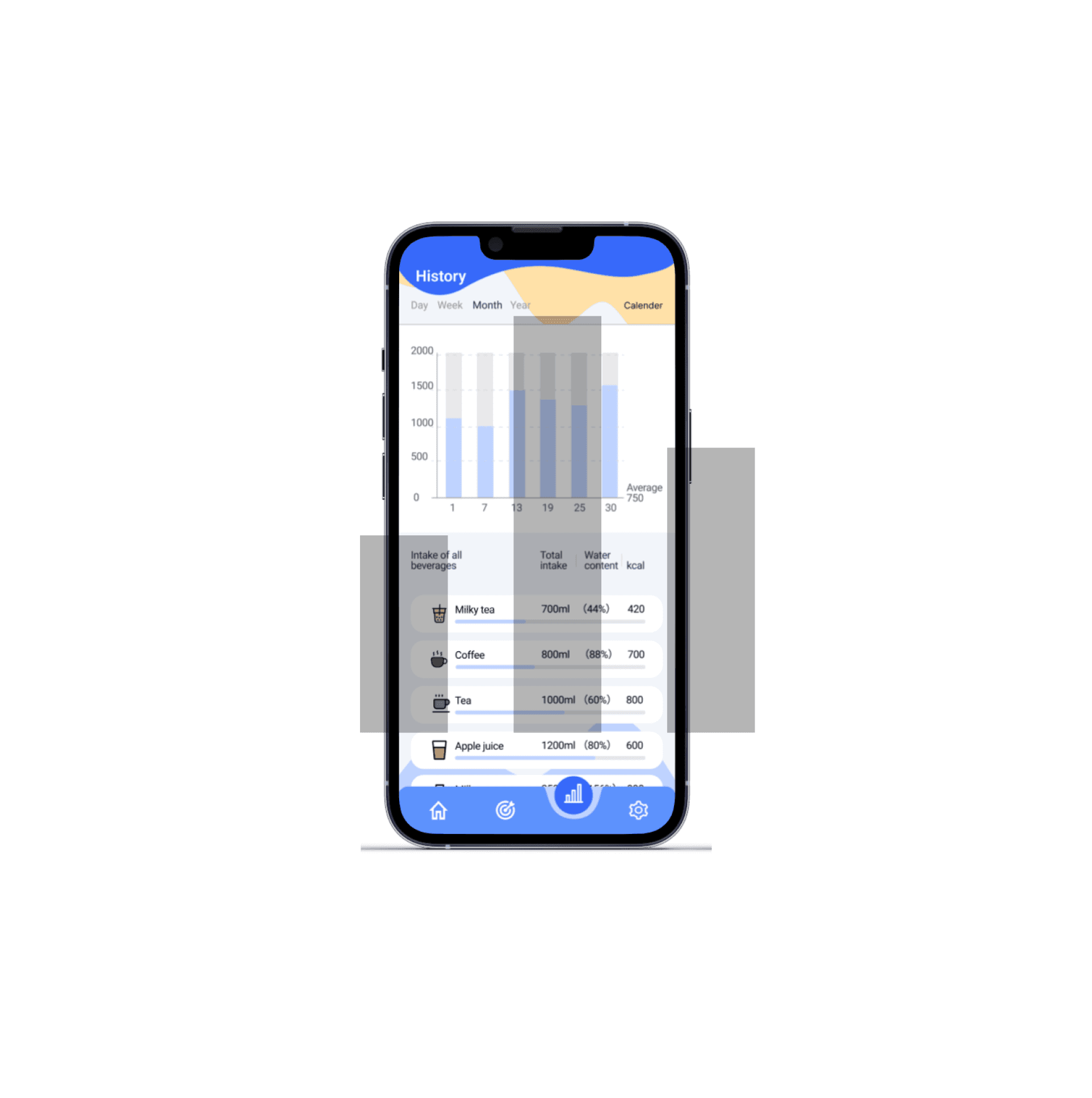
Detailed water records
Hydr8 allows users to record their daily water consumption, view daily, weekly, monthly and annual records, and provide detailed statistics. Users can record a variety of drinks and use charts and data to understand their drinking habits to help maintain water balance.
- Major features
- Design Process
User Research / Problem Discovery
Showing users' behaviors, emotions, pain points at different times of the day
Low-Fidelity / Early Testing
How to use user test data to guide UI design and improve usability.
Design Iteration
how iterating on UI design through data analysis and user feedback makes it more intuitive and easy to use
Usability test
The purpose of conducting 5-second tests on the water prototype is to evaluate the effectiveness of its UI design in guiding users to find key features and creating a good first impression.
01 Unlocking drinking habits -
why do users always forget to drink water?
1
2
User emotion
3
4
5
Get up
Morning work
after lunch
Afternoon work
after dinner
before sleep
User Journey Map
stage
Research Methodology : user Journey Map - Showing users' behaviors, emotions, pain points at different times of the day
Key Pain Point Discovery:
Busy with work, no time to drink water, easy to ignore reminders
Drinking water during meals, but the amount of water is insufficient, not forming a habit
Drink water only when thirsty, unable to take the initiative to stay hydrated
Users want to personalize the way they drink water, to engage and remind them to drink water
Great UX design starts with deep user understanding. This user journey map clearly shows users' behaviors, pain points and mood swings at different times, helping to identify core issues. Through data analysis, we found that traditional drinking reminders could not truly influence user habits, providing a clear direction for subsequent personalized optimization. This step of research laid the design foundation, making our solution more relevant to user needs.
02 From Sketch to Interaction - Optimizing the User Path in Aquafy
Content:
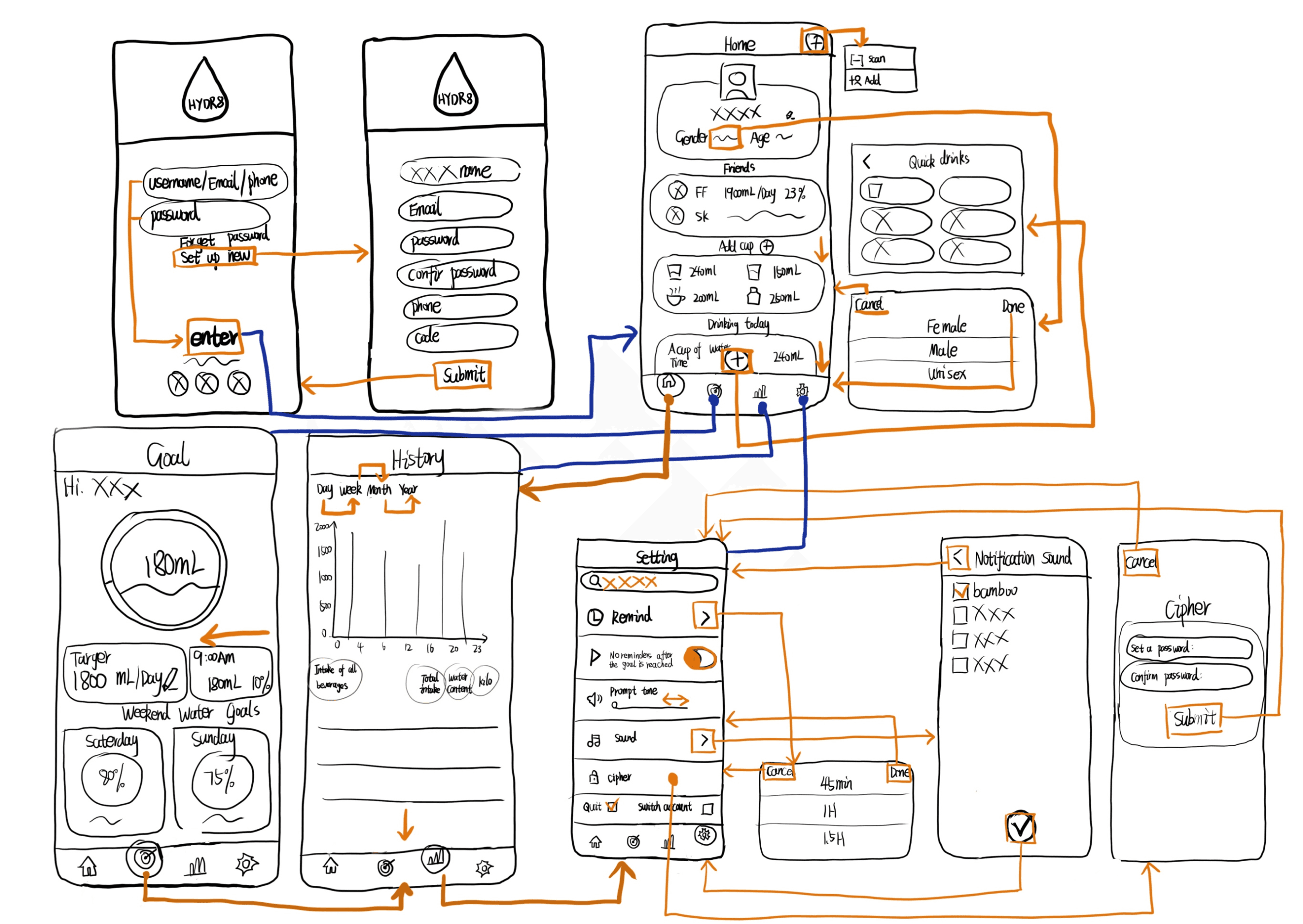
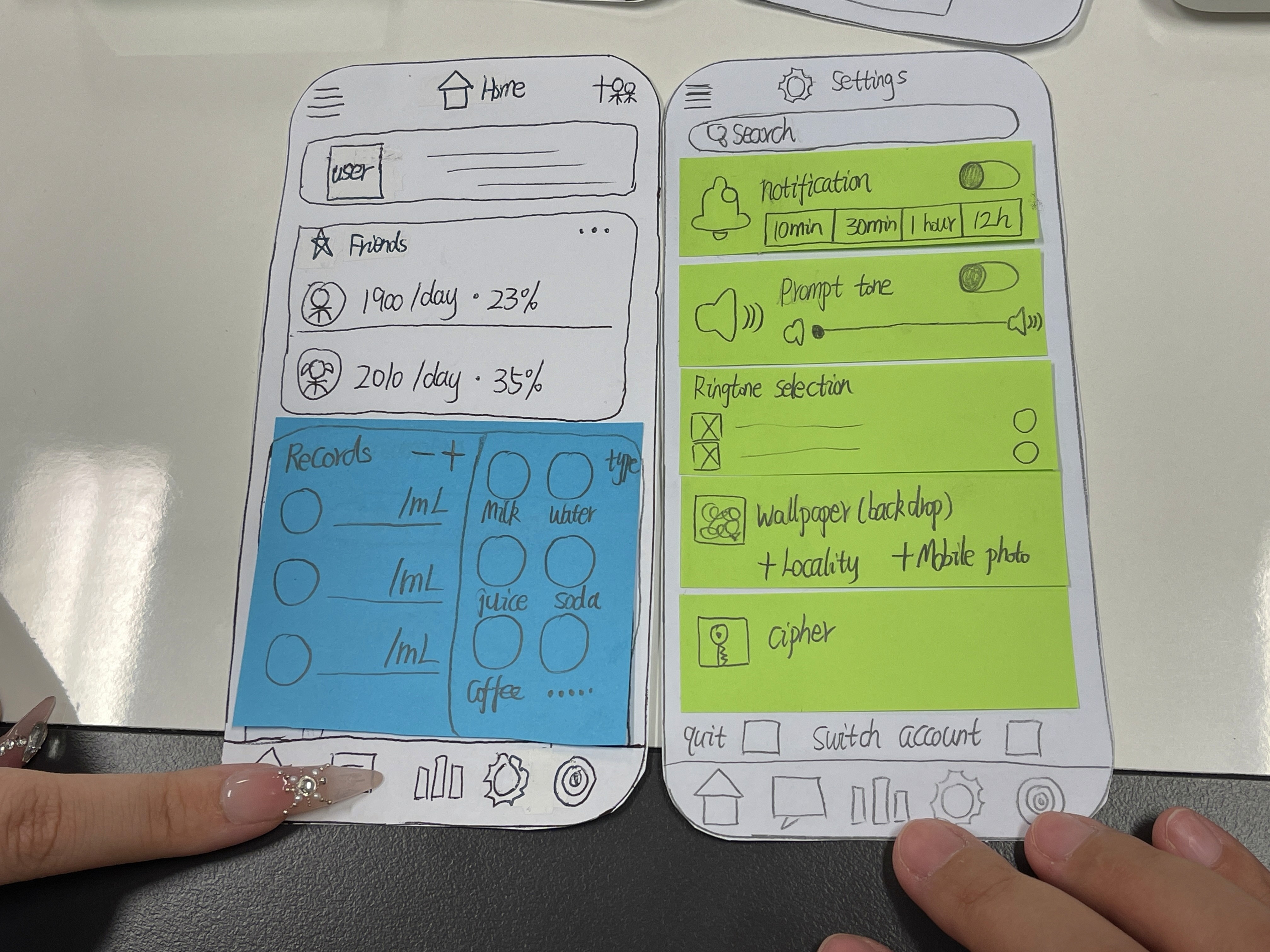
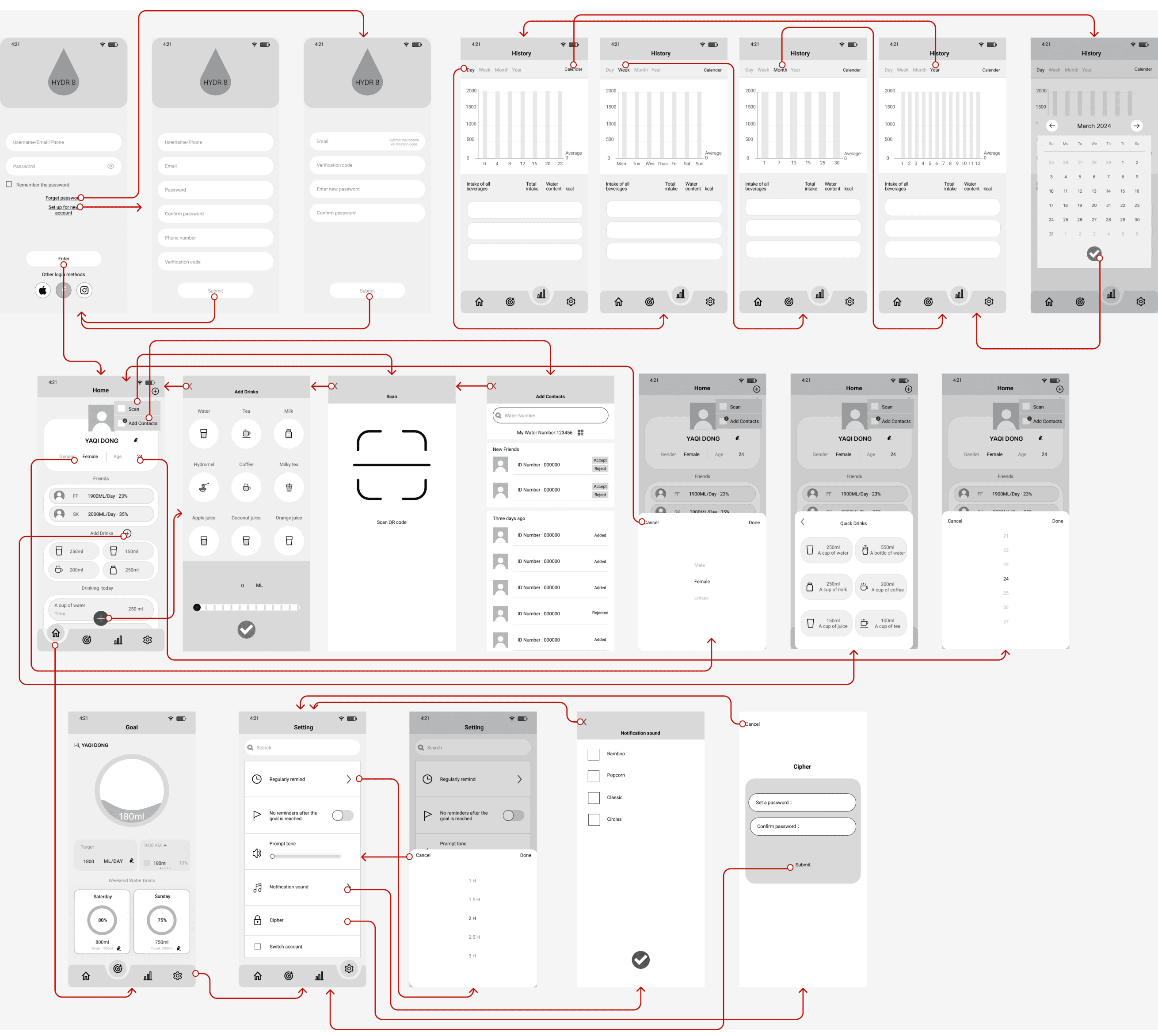
Low-fidelity Wireframe: showing the initial design.
Task Flow: How users can quickly record water consumption
Test
UX design requires validation and iteration, not just intuition. This page shows how to use user test data to guide UI design and improve usability.
03 Optimizing Aquafy -
How to make UI design more intuitive?
Content:
Medium Fidelity → High Fidelity UI Iteration
Optimization based on user feedback
Mood board and Style tile exploration
Detailed optimization is the key to great UX design. This page shows how iterating on UI design through data analysis and user feedback makes it more intuitive and easy to use.
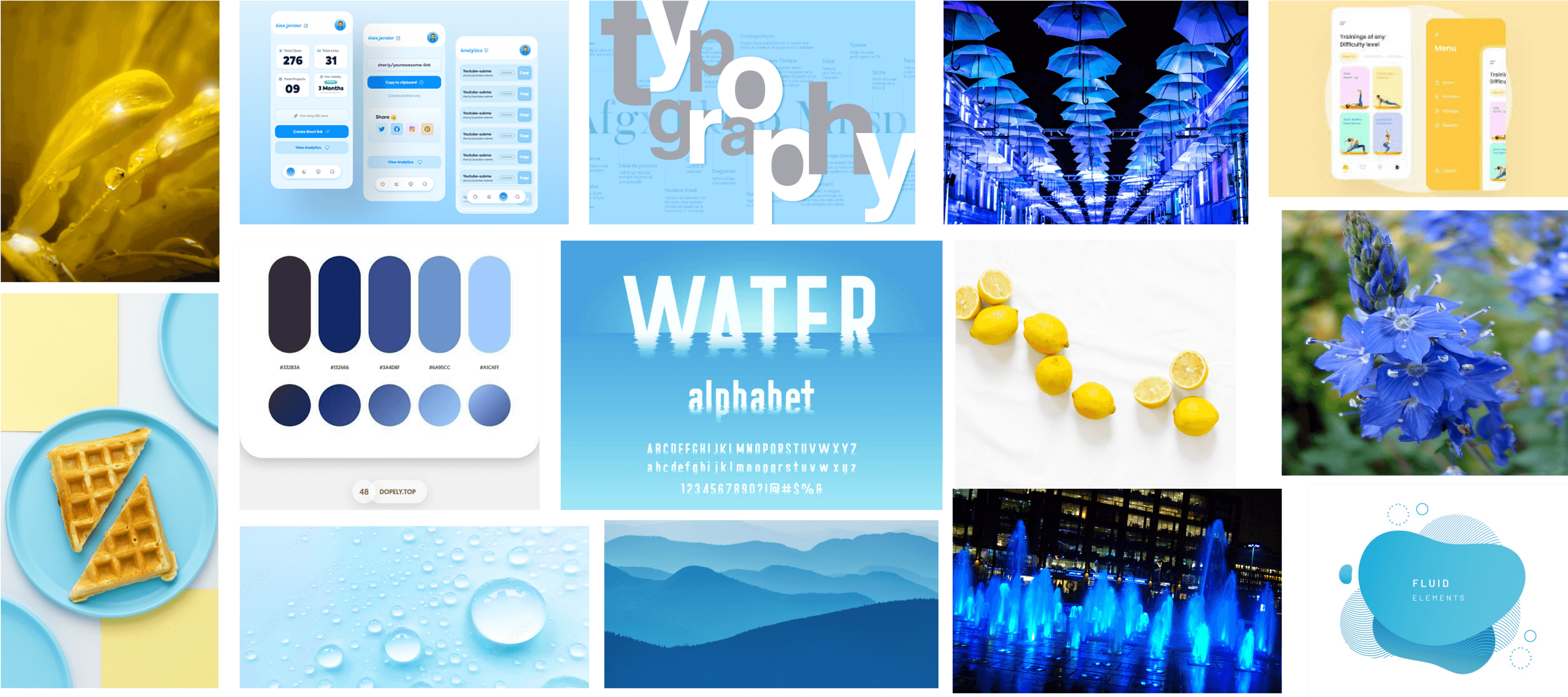
Mood board
Day
Week
Month
Year
Remember the password
Forget password
Set up for new account
Enter
Other login methods
Username/Email/Phone
Password
Welcome to water app
clarity
Adjectives/Font styles
Colors
Textures
Buttons
Enter
Enter
Freshness
LIGHTNESS
EFFAFB
FFFFFF
FFE1A8
79A8FF
Day
Week
Month
Year
clarity
Adjectives/Font styles
Colors
Icons
Textures
Buttons
Enter
Enter
Freshness
LIGHTNESS
F1F4FA
FFE1A8
BED3FF
3769FA
Remember the password
Forget password
Set up for new account
Other login methods
Username/Email/Phone
Password
Welcome to water app
Remember the password
Forget password
Set up for new account
Enter
Other login methods
Username/Email/Phone
Password
Welcome to water app
250ml
A cup of water
250ml
A cup of water
6
Style tile
04 “5 seconds” - What did Aquafy leave you with?
5-Second Tests
The 5-second test measures users' first impressions and recall of the application's design elements after a brief exposure. Participants view the app interface for 5 seconds and are then asked to recall what they remember. This test helps evaluate users' understanding of the app's purpose, recall of key elements, and overall impression of the design aesthetics and credibility.
Test Method: Memory Focused
Test Interface: Goal
Test Steps:
1. Start with a blank screen.
2. Display the goal interface for 5 seconds (use a mobile timer).
3. Show the blank screen again.
4. Ask the participants what they remember.
Test Participants: Three people
Questions:
● What is the purpose of the product/screen?
● What elements of the screen can you remember?
● What are your impressions of the design?
● How trustworthy does the product feel?
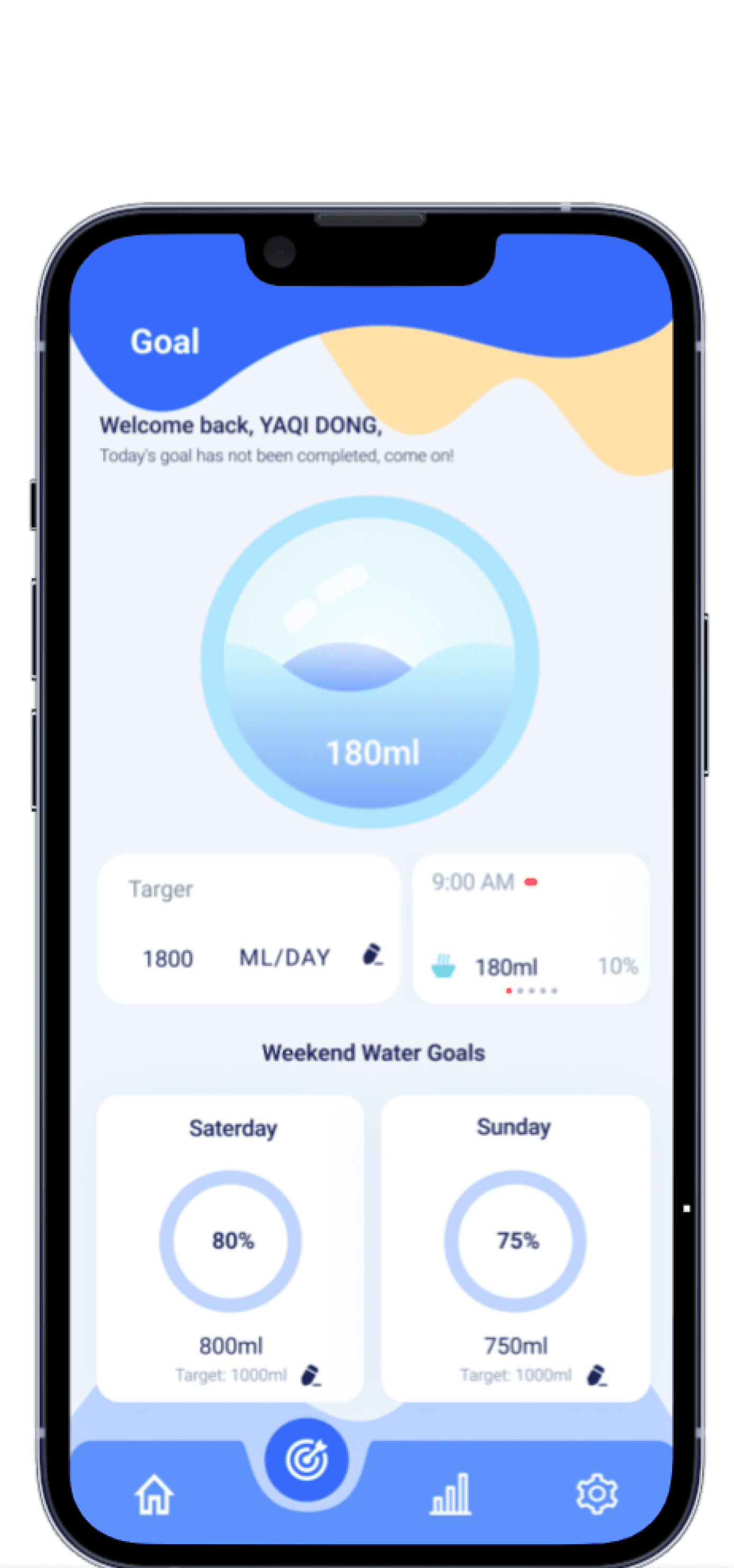
Low Severity: Participants had difficulty recalling specific icons, indicating that these elements might need a more distinct and prominent design.
Improvement: Increase the contrast of the icons or adopt a more noticeable design style to make them easier to remember.
Medium Severity: While most participants remembered the progress bar and goal setting, some elements, such as the specific functions of buttons, were not clearly recalled.
Improvement: Add labels or tooltips in key areas, or use color coding to help users quickly understand the function of each element.
High Severity: Participants could recognize the basic purpose of the interface, but their overall understanding of all functionalities might be insufficient.
Improvement: Incorporate guiding elements or a brief introduction for first-time use, enabling users to fully grasp the interface’s functionalities in a short time.
Identified Problems and Severity Ratings
Conclusion
The 5-second test revealed that the main screen of the water tracking app performs well in overall design and purpose recognition. However, there is room for improvement in the recall of specific elements and comprehensive understanding. Further optimization of these details can enhance the user experience and the intuitiveness of the interface.
5-second test - Analysis and conclusion
- Design Process part 2 - Case study
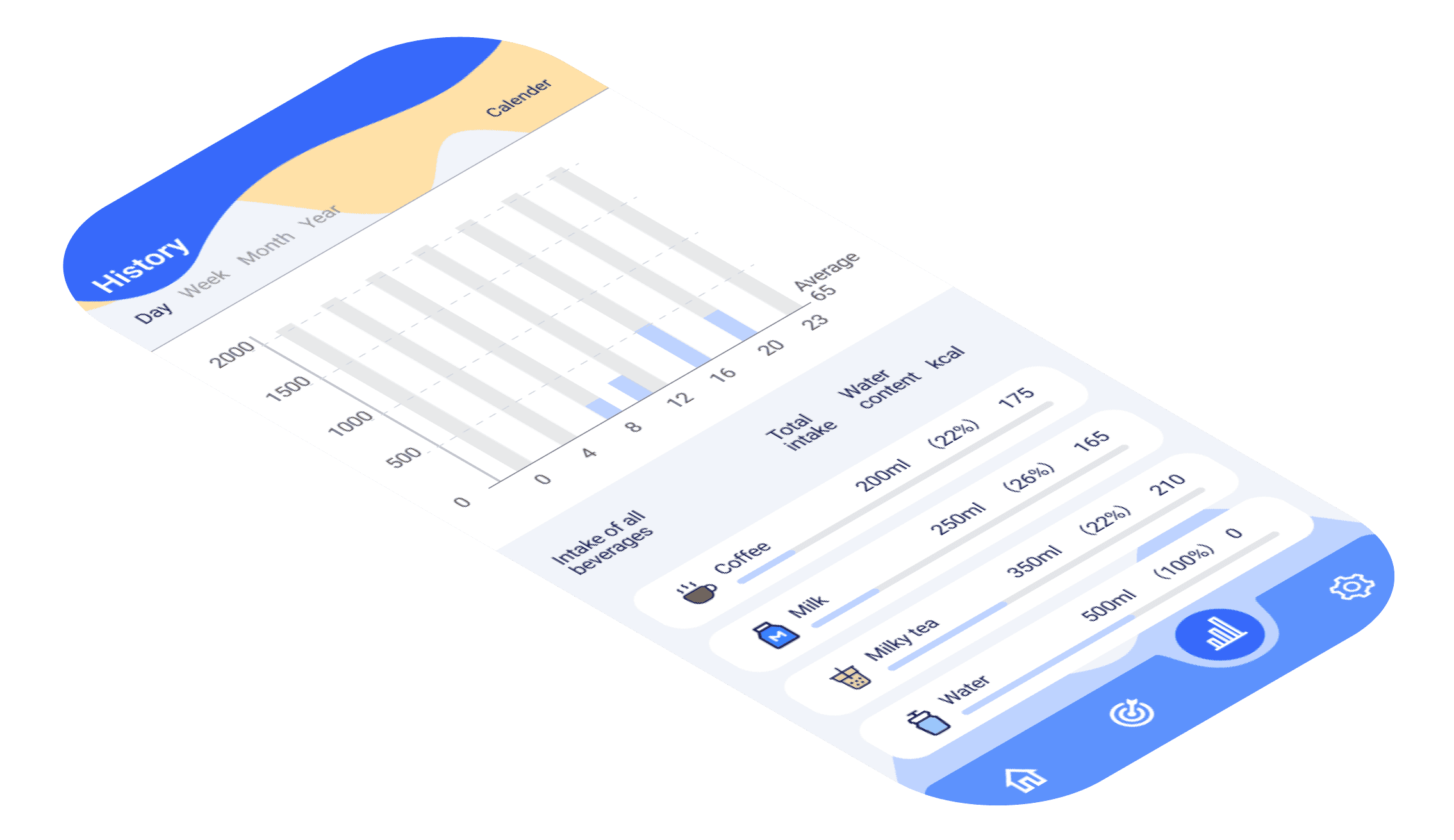
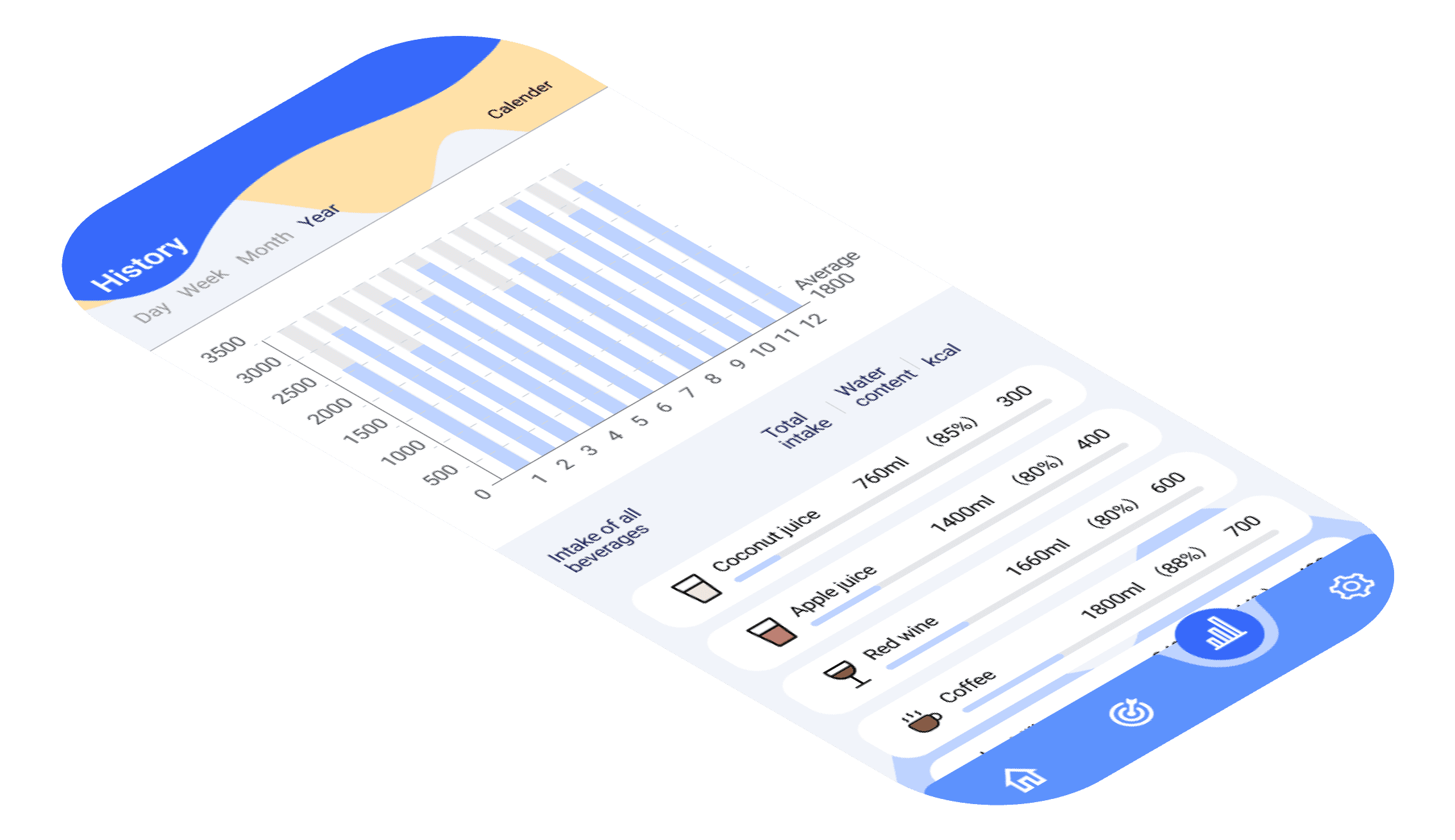
Are you still manually entering the volume of each glass of water?
Amy tells herself to drink more water every day, but every time she opens the Drinking Water App, she has to manually enter the volume of each glass. It's so troublesome that he just gave up recording after a few days ...... Is this something that has bothered you too?
The key issue:
It's not that users don't want to record, but they don't want to be dissuaded by cumbersome operations! What's needed is a faster, smarter way to adapt Aquafy to their lives, not for them to adapt to the App.
so?
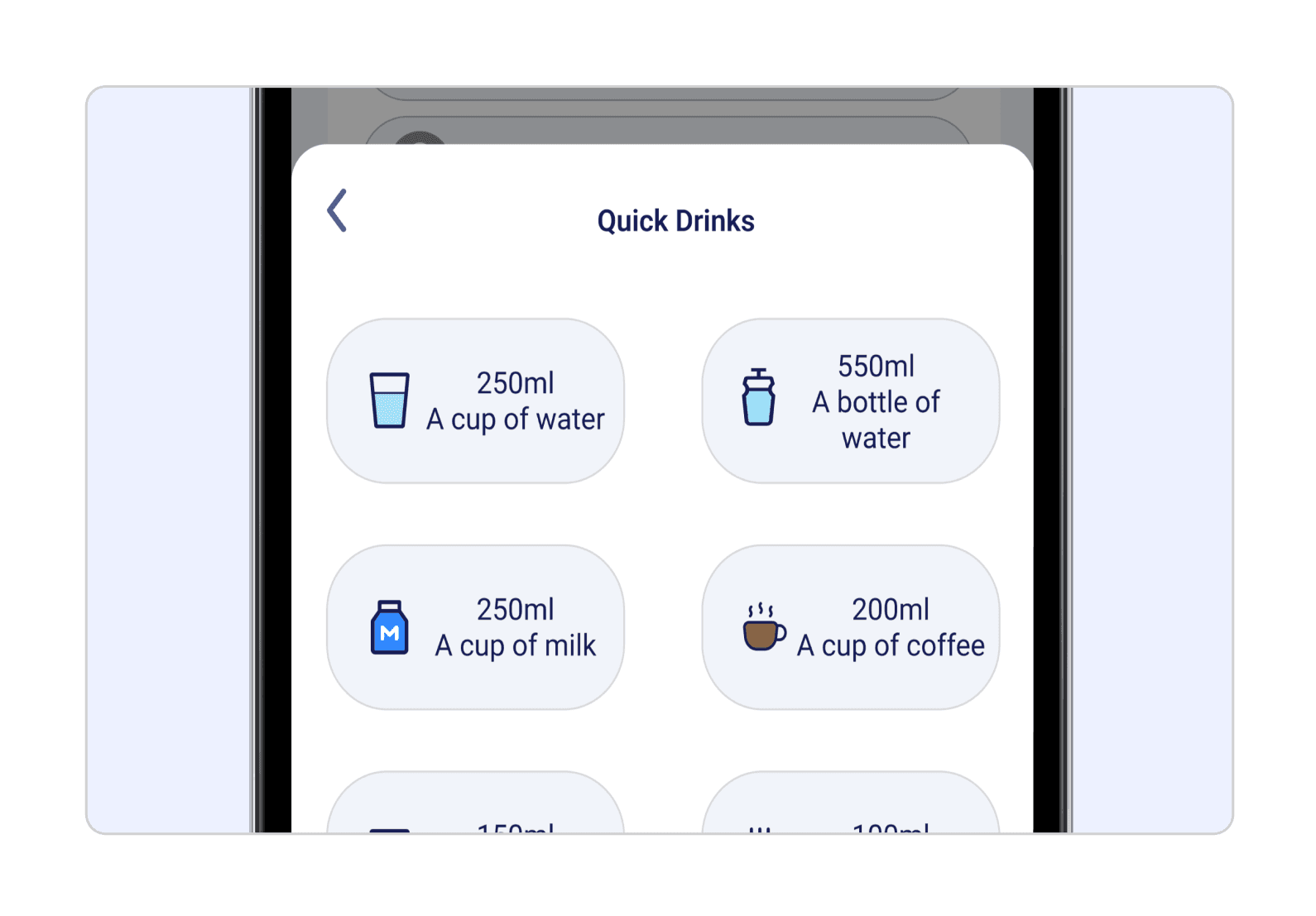
How to make Aquafy “senseless” but efficient? I designed “Add Drinks” shortcut logging and “History” smart analytics to allow users to add water with a single click, while visualizing and analyzing their habits with data to help them make real behavioral changes.
From user research to interaction optimization, how did Hydr8 evolve step by step?
Read on!
From cumbersome to smart - how to make water logging simple and efficient?
case study
Aquafy makes drinking records no longer a burden, but a seamless experience!
Manual input?
Users have long since given up!
Pain Points of Traditional Drinking Water Records
"Drinking reminders ≠ record trouble."
User feedback: It's too much trouble to manually enter the amount of water you drink each time, so you don't want to keep track of it over time.
Users want to keep track of their drinking water faster and more visually.
One click add water:
say goodbye to tedious operation
Interaction Optimization
“One click and you're done logging”
Visible habits,
in order to stick to!
Visualization of personal drinking trends
"Data-driven to help you stick to your health goals."
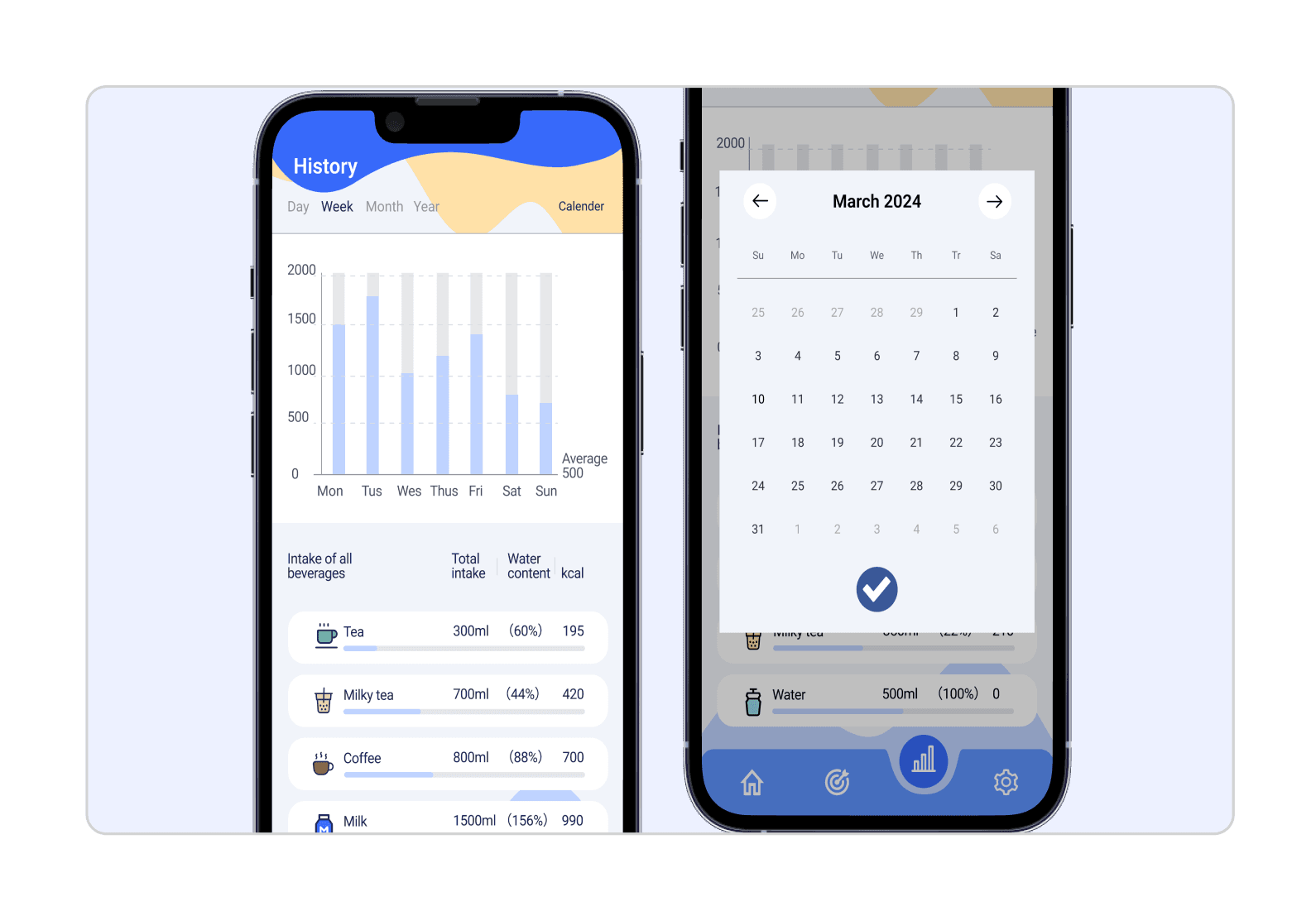
Aquafy allows users to develop healthy drinking habits without realizing it, making technology truly serve life !
Aquafy
It’s time to drink some water !
Now
Aquafy
It’s time to drink some water !
2 hours ago
6:00
Mondy, May 20
- Reflection / Future Improvement
In this project, I learned the complete process from user research to high-fidelity UI design, and optimized the interaction experience through user testing. I successfully designed an intuitive and efficient water management app, but if I had more time, I would have further optimized the personalized recommendation algorithm to make water reminders smarter, and enhanced the social interaction to increase user stickiness. In the future, I hope to do more exploration on data visualization and dynamic interaction to enhance the intuitive and interesting user experience.

Thank you