Duration:
30th March - 10th May
(6 weeks)
Case Study
CommBank Home
Screen Redesign
YAQI DONG(Vicky)
Product Overview
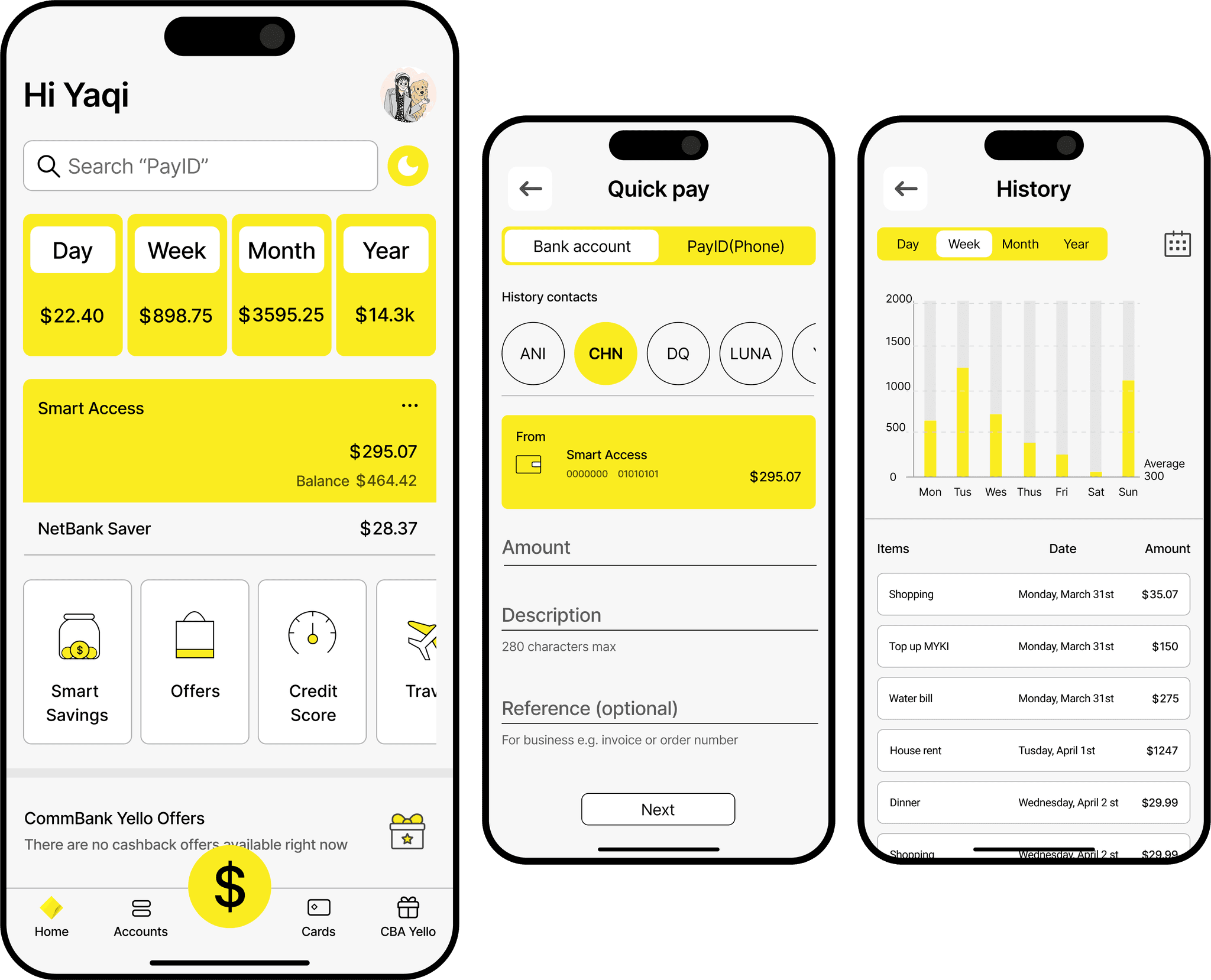
The goal of this redesign is to simplify the CommBank home screen, improve accessibility, and enhance key financial functions such as transaction tracking and quick transfers. By addressing navigation inefficiencies and visual clarity, this redesign ensures a more user-friendly experience.
Responsibility
UX/UI Design
User Research
Wireframing
Prototyping
Tools
Figma
Google Forms
Problem Statement
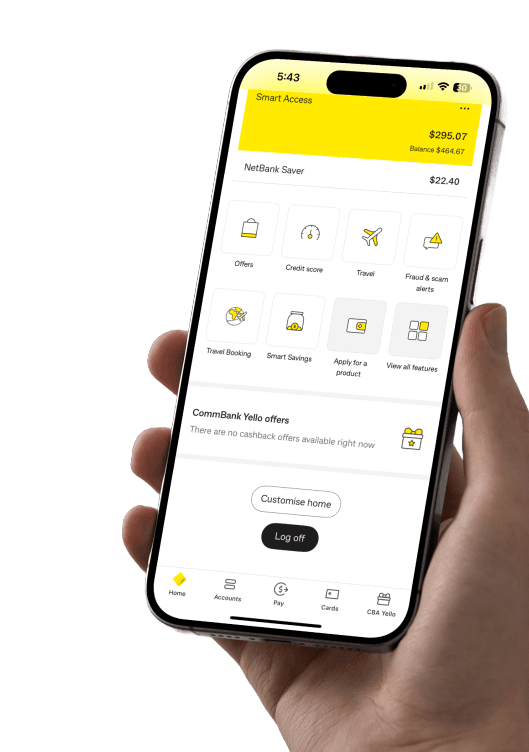
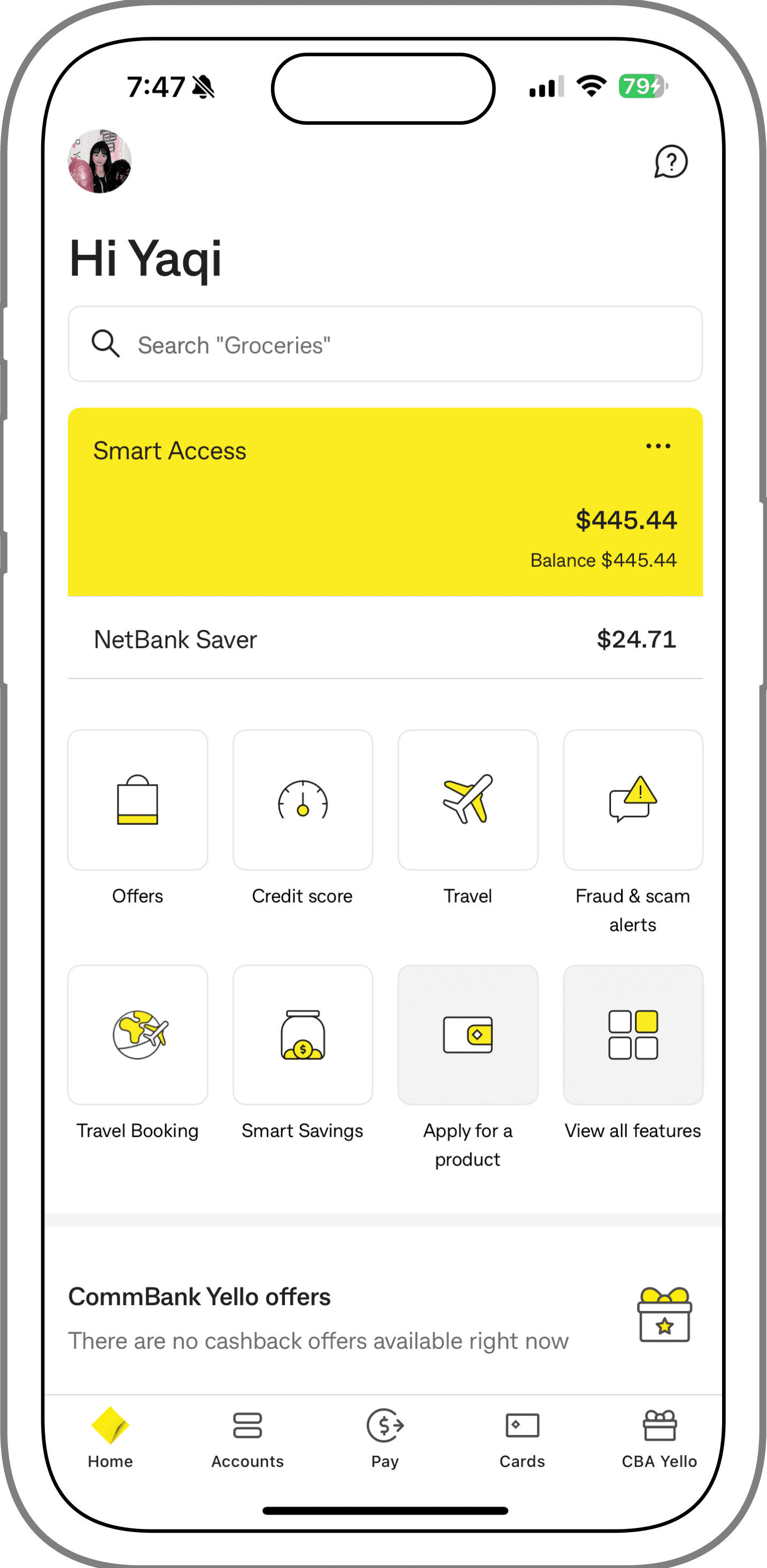
CommBank users face multiple challenges when navigating the home screen, making it difficult to access essential financial information efficiently. The primary issues include:
· Overloaded home screen: Important data (total spending, transaction history) is hidden or hard to find.
· Complex transaction flow: Transferring money requires multiple unnecessary steps.
· Low contrast: Difficult to read for users with visual impairments.
Goals
· Simplify the home screen by emphasizing key financial insights and essential actions.
· Streamline the transfer process with a dedicated Quick Transfer feature.
· Enhance accessibility by improving contrast, increasing font sizes, and offering a Dark Mode.

Understand
User Research
interview
Competitor Analysis

Define
User Personas
Empathy Map
User Journey

Ideate
User Flow
Low-Fidelity Sketches

Design
Low-fidelity Wireframes
Hi-Fi Designs
Prototype

Test
Usability Testing
feedback
Target Audience
· Young professionals (18-40 years old) who actively manage their finances and make frequent online transactions.
· Small business owners who require quick access to financial insights and simplified transfer options.
· Frequent Mobile Bankers



Feature
Spending Insights
Quick Transfer
Dark Mode and Accessibility
Homepage Layout Clarity
CommBank
Westpac
ANZ
NAB
Competitive Analysis
Compared to its competitors, CommBank's homepage lacks key features that enhance usability and efficiency. While Westpac, ANZ, and NAB all provide clear spending insights and streamlined layouts, CommBank falls short in offering a quick transfer function, spending visibility, and dark mode for accessibility.
This highlights a significant opportunity for improvement, especially in redesigning the homepage to match user needs and keep up with competitors.
Unique Features
Quick Transfer Button - Enables instant money transfers with frequently used contacts.
Spending Insights Dashboard - Displays total spending history with category breakdowns.
Dark Mode & Accessibility Enhancements - Improved contrast and larger text options for better readability.
Enhanced Navigation Structure - Prioritizes essential actions like viewing balances, transactions, and making payments.
User Research - interview
Conducted surveys with 30+ CommBank users to understand primary frustrations.
Key findings:
· transaction history difficult to access.
· frustration with transfer steps.
· a Dark Mode for better readability.
interview question:
Can you walk me through how you usually check your recent spending on the CommBank app?
How do you usually make a transfer? What part of that process feels smooth or frustrating?
When using the homepage, which features do you find most useful — and which ones do you rarely use or overlook?
Have you ever wished the app was easier to read or visually more comfortable? If so, in what way?
Empathy Map

Pain Points
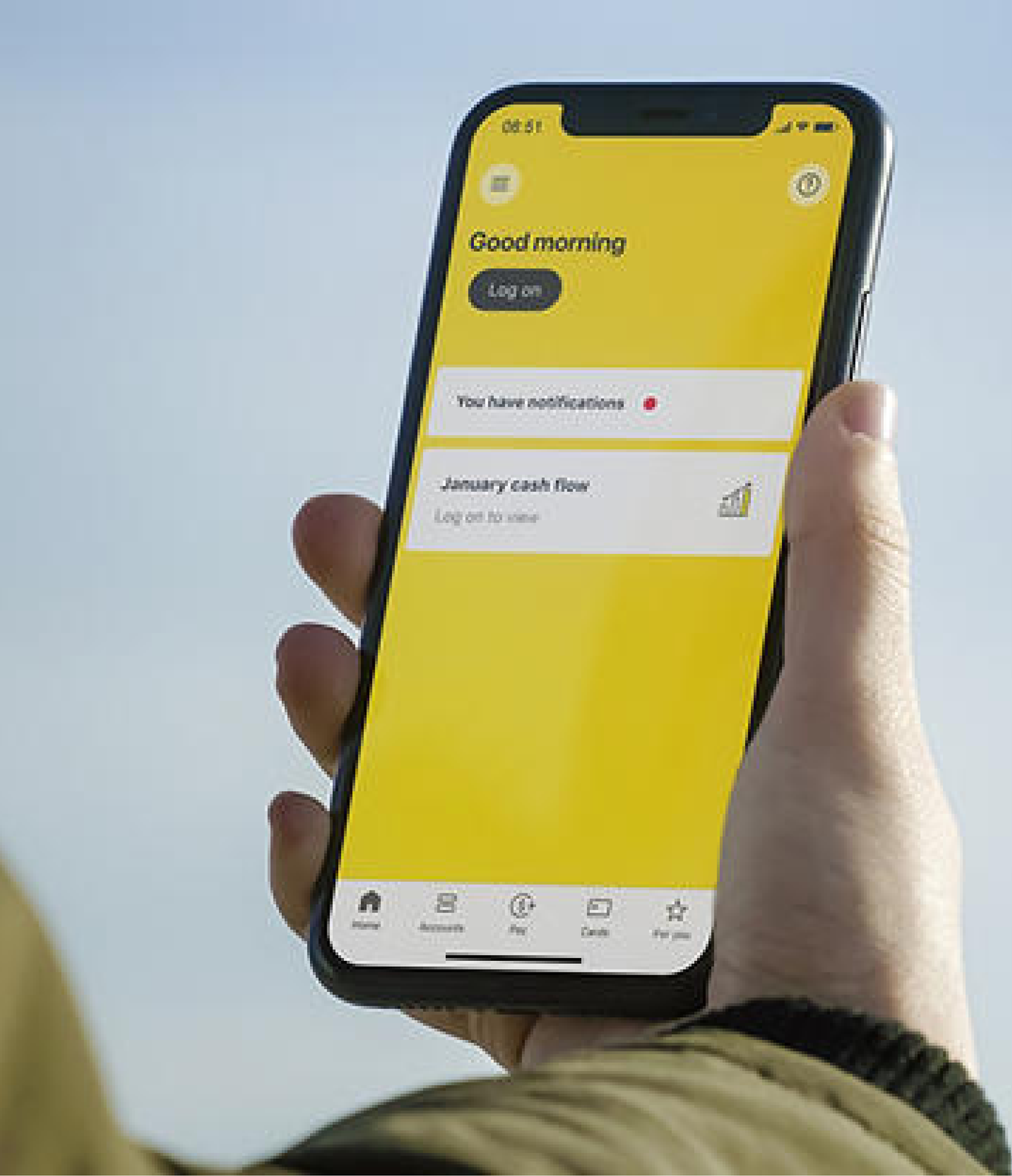
· Unclear homepage hierarchy
Key features are not highlighted; no dark/light mode toggle affects clarity.
· No quick transfer/pay access
Users must go through multiple steps to transfer money from the homepage.
· No spending history overview
Users can't quickly view daily/weekly/monthly/yearly expenses or visual summaries.
User Persona

Persona: Alex
Goal: Effortlessly manage finances and transactions through an intuitive and accessible banking app.
Actions
Checking Balance
Viewing Transactions
Making a Transfer
Switching to Dark Mode
Task List
Opens app, looks for balance
Tries to filter spending history
Goes through multiple steps
Can't find accessibility options
Feeling
Thoughts
"Where’s my balance?"
"Why is this hidden in menus?"
"Too many clicks!"
"Text is too small!"
Improvement
Opportunities
Show balance on home screen
Add spending overview upfront
One-tap Quick Transfer
Add Dark Mode toggle
User Journey Map
Scenario 1: Quick Transfer Process
Context: Alex needs to send money to a friend urgently but struggles with the multi-step process in the current CommBank app.
User Goal: Quickly complete a transfer with minimal steps.
Current Pain Points:
· Needs to navigate multiple menus before accessing the transfer feature.
· Confirmation process takes too long.
Improved Process:
· Introduce a Quick Transfer Button on the home screen.
· Reduce unnecessary confirmation steps.
Scenario 2: Viewing Spending Insights
Context: Alex wants to view her total monthly expenses, but finds the process complicated and the data buried in different menus.
User Goal: Easily access a clear summary of expenses.
Current pain point:
· Total spending details are hidden in secondary menus.
· Lack of category-based spend insights.
· No graphical representation for quick understanding.
Improve process:
· Add “History” to the main screen.
· Introduce category breakdowns for better financial tracking.
· Provide interactive charts for a more visual overview of spending.
User Flow
History contacts
(phone number)
PayID(Phone)
homepage
log in/sign in
Quick Pay
Dark Mode Toggle
recent transactions
Consumption History
Day/week/Month/Year
History contacts
(name)
Bank Account
Next
Confirm payment
Pay Now
Start
Sketches/Low-fidelity Wireframes
High Fidelity Frames
Home Screen
Users can now view their spending trends by day, week, month, or year directly from the homepage.
This overview gives users a clear sense of their financial behavior at a glance, improving self-awareness and budgeting efficiency.
A prominent shortcut to “Quick pay” is placed at the center of the navigation bar.
This reduces friction by enabling users to complete frequent transactions in just two taps, improving speed and usability.

Hi Yaqi
Home
Accounts
Cards
CBA Yello
Search “PayID”
22.40
Day
Week
898.75
3595.25
Month
Year
14.3k
295.07
Smart Access
464.42
Balance

28.37
NetBank Saver
Smart
Savings
Offers
Credit
Score
Travel
CommBank Yello Offers
There are no cashback offers available right now

Quick Pay Screen 1
Hi Yaqi
Home
Accounts
Cards
CBA Yello
Search “PayID”
22.40
Day
Week
898.75
3595.25
Month
Year
14.3k
295.07
Smart Access
464.42
Balance
28.37
NetBank Saver
CommBank Yello Offers
There are no cashback offers available right now

Quick pay
Bank account
Bank account
PayID(Phone)
History contacts
ANI
CHN
DQ
LUNA
YQ
FF
295.07
From
Smart Access
0000000
01010101
Amount
Description
280 characters max
Reference (optional)
For business e.g. invoice or order number
Next
Switch between Bank Account and PayID seamlessly.
This toggle allows users to choose their preferred payment method without extra steps, streamlining the process from the start.
Users can quickly access their frequent payees with one tap.
The circular avatar layout displays recent contacts for fast selection, reducing cognitive load and making repeat transfers more intuitive.
Quick Pay Screen 2
Quick pay
Next
Bank account
PayID(Phone)
History contacts
+61 000000000
ANI
+61 000000000
CHN
+61 000000000
DQ
+61 000000000
LUNA
+61 000000000
YQ
295.07
From
Smart Access
0000000
01010101
Amount
Description
280 characters max
Reference (optional)
For business e.g. invoice or order number
Switch between Bank Account and PayID seamlessly.
This toggle allows users to choose their preferred payment method without extra steps, streamlining the process from the start.
Users can now preview recipient details before transfer.
A clearer layout shows both nickname and phone number, helping users confirm they’re paying the right person at a glance.
Cosumption History Screen
History
Day
Week
Month
Year







2000
1500
1000
500
Average
300
0
Mon
Tus
Wes
Thus
Fri
Sat
Sun
Items
Date
Amount
Shopping
Monday, March 31st
35.07
Top up MYKI
Monday, March 31st
150
Water bill
Monday, March 31st
275
House rent
Tusday, April 1st
1247
Dinner
Wednesday, April 2 st
29.99
Shopping
Wednesday, April 2 st
29.99
Dinner
Wednesday, April 2 st
29.99
Visual spending trends via interactive bar chart.
Users can filter by day, week, month, or year to gain financial insights and track patterns easily.
A clean breakdown of recent transactions by item and amount.
This section helps users review where their money is going, line by line.
Reviews
This redesign enhances the CommBank homepage by introducing a clear spending summary (Day/Week/Month/Year), better layout hierarchy, and customizable features. Key financial data is now immediately accessible, while a dedicated quick-action bar improves navigation and personalization.
Hi Yaqi
Home
Accounts
Cards
CBA Yello
Search “PayID”
22.40
Day
Week
898.75
3595.25
Month
Year
14.3k
295.07
Smart Access
464.42
Balance
28.37
NetBank Saver
Smart
Savings
Offers
Credit
Score
Travel
CommBank Yello Offers
There are no cashback offers available right now

Hi Yaqi
Home
Accounts
Cards
CBA Yello
Search “PayID”
22.40
Day
Week
898.75
3595.25
Month
Year
14.3k
295.07
Smart Access
464.42
Balance
28.37
NetBank Saver
Smart
Savings
Offers
Credit
Score
Travel
CommBank Yello Offers
There are no cashback offers available right now
Quick pay
Bank account
Bank account
PayID(Phone)
History contacts
ANI
CHN
DQ
LUNA
YQ
FF
295.07
From
Smart Access
0000000
01010101
Amount
Description
280 characters max
Reference (optional)
For business e.g. invoice or order number
Next
Quick pay
Bank account
Bank account
PayID(Phone)
History contacts
ANI
CHN
DQ
LUNA
YQ
FF
295.07
From
Smart Access
000000
01010101
Amount
Description
280 characters max
Reference (optional)
For business e.g. invoice or order number
Pay now
Confirm payment
Pay
to CHN
95.07
000000
01110111
Bill
Check the BSB and account number are correct. We only use these details to process payments, not the account name. If they're incorrect, you could pay the wrong account and may be unable to get your money back.
Pay now
Quick pay
Next
Bank account
PayID(Phone)
History contacts
+61 000000000
ANI
+61 000000000
CHN
+61 000000000
DQ
+61 000000000
LUNA
+61 000000000
YQ
295.07
From
Smart Access
0000000
01010101
Amount
Description
280 characters max
Reference (optional)
For business e.g. invoice or order number
Quick pay
Next
Bank account
PayID(Phone)
History contacts
+61 000000000
ANI
+61 000000000
CHN
+61 000000000
DQ
+61 000000000
LUNA
+61 000000000
YQ
295.07
From
Smart Access
0000000
01010101
Amount
Description
280 characters max
Reference (optional)
For business e.g. invoice or order number
Confirm payment
Pay
to CHN
95.07
+61 000000000
Bill
Check the BSB and account number are correct. We only use these details to process payments, not the account name. If they're incorrect, you could pay the wrong account and may be unable to get your money back.
Pay now
History
Day
Week
Month
Year


2000
1500
1000
500
Average
300
0
Mon
Tus
Wes
Thus
Fri
Sat
Sun
Items
Date
Amount
Shopping
Monday, March 31st
35.07
Top up MYKI
Monday, March 31st
150
Water bill
Monday, March 31st
275
House rent
Tusday, April 1st
1247
Dinner
Wednesday, April 2 st
29.99
Shopping
Wednesday, April 2 st
29.99
Dinner
Wednesday, April 2 st
29.99
High Fidelity Frames - Light
High Fidelity Frames - Dark
Hi Yaqi
Home
Accounts
Cards
CBA Yello
Search “PayID”
22.40
Day
Week
898.75
3595.25
Month
Year
14.3k
295.07
Smart Access
464.42
Balance
28.37
NetBank Saver
Smart
Savings
Offers
Credit
Score
Travel
CommBank Yello Offers
There are no cashback offers available right now
Quick pay
Bank account
Bank account
PayID(Phone)
History contacts
ANI
CHN
DQ
LUNA
YQ
FF
295.07
From
Smart Access
0000000
01010101
Amount
Description
280 characters max
Reference (optional)
For business e.g. invoice or order number
Next
History
Day
Week
Month
Year
2000
1500
1000
500
Average
300
0
Mon
Tus
Wes
Thus
Fri
Sat
Sun
Items
Date
Amount
Shopping
Monday, March 31st
35.07
Top up MYKI
Monday, March 31st
150
Water bill
Monday, March 31st
275
House rent
Tusday, April 1st
1247
Dinner
Wednesday, April 2 st
29.99
Shopping
Wednesday, April 2 st
29.99
Dinner
Wednesday, April 2 st
29.99
Thank you
for watching!